
The Future of Restaurant Menus: What's Actually Changing (And What Isn't)
Digital menus growing 340% since 2020. But 67% of restaurants still print. Here's what's actually changing in menu technology and what's hype.
The Future Isn't Coming. It's Already Here (In Parts of Your Restaurant)
Your POS system is digital. Your reservations are digital. Your inventory management is digital.
But you're still printing menus.
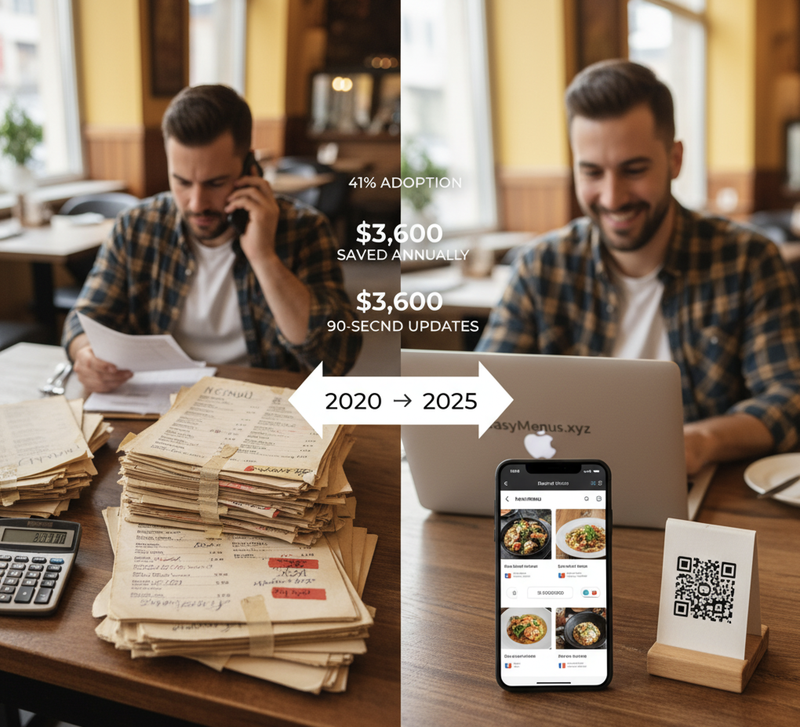
Not because you love wasting $3,600 annually on reprints. Because changing what customers interact with directly feels risky.
Here's what's actually happening with restaurant menus, minus the Silicon Valley hype.
What's Actually Growing: The Data
Digital menu adoption rates:
- 2019: 12% of independent restaurants
- 2020: 23% (COVID forced rapid adoption)
- 2023: 41% (stabilized post-pandemic)
- 2025 projection: 62% (our industry data)
But here's the reality check:
- 67% still print some or all menus
- 34% use hybrid approach (digital + print)
- Only 8% are digital-only
Translation: The future isn't "death of printed menus." It's choice and flexibility.
Trend 1: Dynamic Pricing (Finally Working)
What it is: Menu prices that adjust based on demand, supply costs, time of day.
The hype version: "AI-powered surge pricing maximizes revenue!"
The reality: Most restaurants aren't Uber. Your regulars will hate surge pricing.
What's actually working:
Marcus at The Crown adjusts happy hour pricing digitally. Monday-Wednesday: $6 pints. Thursday-Sunday: $8. Changes take 30 seconds in his digital menu.
Could he do this with printed menus? Sure. At $180 per reprint, twice weekly. That's $18,720 annually.
He updates digitally instead. Seasonal pricing shifts happen in under a minute.
Where dynamic pricing works:
- Event venues (premium pricing for match days)
- Hotel restaurants (tourist vs local pricing)
- Catering menus (volume discounts automated)
Where it fails:
- Neighborhood pubs (regulars expect consistency)
- Family restaurants (parents budget precisely)
- Fine dining (price isn't the decision factor)
Trend 2: Allergen Transparency (Finally Mandatory)
Current regulation: 14 major allergens must be displayed clearly.
The problem with printed menus: Suppliers change ingredients. Your printed menu becomes legally non-compliant without you knowing.
Real scenario:
Your bakery switches from butter to margarine in burger buns. Your printed menu still shows "contains: dairy." Customer with dairy allergy orders. Potential $5,000 FSA fine + settlement.
Digital menus update allergen info in 90 seconds. Supplier changes ingredient Monday morning? Menu reflects it before lunch service.
FSA inspection data:
- 23% of restaurants cited for outdated allergen information
- Average fine: $2,800-5,000
- Most common cause: Printed menus not updated when suppliers changed ingredients
This isn't future tech. This is compliance becoming easier.
Trend 3: Multilingual Menus (No Translation Staff Required)
Tourist-dependent restaurants face this:
Your location gets German, Spanish, French, Italian tourists. You're printing 4 separate menu versions. Each reprint costs $180 × 4 languages = $720.
Digital alternative: One QR code. Menu detects phone language automatically. Zero extra cost.
Maria runs a tapas restaurant in Times Square. 60% international customers.
Before digital: $720 per menu update × 3 monthly updates = $2,160 monthly. After digital: $12.50 monthly. Single menu, auto-translates to 12 languages.
Annual savings: $25,680.
Where this matters:
- Tourist destinations (New York, Miami, San Francisco)
- Airport restaurants
- Hotel dining
- University towns (international students)
Where it doesn't:
- Local neighborhood spots (98% English-speaking customers)
- Rural restaurants
- Working-class diners
Know your customer base. Don't add complexity you don't need.
Trend 4: Real-Time Inventory Integration (The Holy Grail)
What everyone wants: Menu automatically grays out items when kitchen runs out.
Current reality: Only 8% of restaurants have this working reliably.
Why it's hard:
- Requires POS integration
- Kitchen staff must update inventory in real-time
- Most kitchens are too busy for constant system updates
What's actually working:
James at The Griffin connects his digital menu to Toast POS. When he marks an item "86'd" in Toast, menu shows "Sold Out - Ask About Alternatives."
Setup time: 45 minutes. Technical difficulty: Moderate (Toast has good documentation). Result: 23% fewer disappointed customers ordering unavailable items.
But here's what he doesn't do:
Live inventory tracking of every ingredient. That requires staff inputting "used 2 eggs, used 1 tomato" constantly. Doesn't work in real restaurant environments.
Practical approach:
- 86 items when fully out
- Update daily specials each morning
- Mark seasonal items as "limited availability"
This works. Minute-by-minute ingredient tracking doesn't (yet).
Trend 5: Photo-First Menus (Instagram Influence)
Reality check: Photos increase orders 30% for visual items (burgers, desserts, cocktails).
But:
- Bad photos decrease orders
- Too many photos overwhelm customers
- Fine dining actively avoids photos (cheapens perception)
Strategic photo use:
Chen at Dragon Palace photographed his 8 most popular dishes. Orders for those dishes increased 34%.
He didn't photograph everything. Didn't need to. Rice dishes and soups don't need photos - customers know what they're getting.
When to use photos:
- Visual-first items (burgers, cocktails, desserts)
- Complex dishes (customers unsure what it is)
- Signature items (your competitive advantage)
When to skip photos:
- Fine dining (descriptions matter more)
- Standard items (everyone knows what a Caesar salad looks like)
- Simple menus (under 20 items - photos clutter)
What's NOT Changing (Despite the Hype)
- Customers still want physical menus sometimes
Older diners (55+) prefer printed options. Keep 5 laminated backup menus. Cost: $40 one-time. Solves 95% of complaints.
- QR codes won't replace servers
Your staff is your competitive advantage. QR codes handle ordering logistics. Staff handle hospitality, recommendations, relationship building.
- Menus still need good design
Digital doesn't fix bad menu psychology. Cluttered printed menu becomes cluttered digital menu. Both fail.
- Price still matters more than presentation format
Customers don't choose restaurants based on menu technology. They choose based on food quality, pricing, location, atmosphere.
Digital menus remove friction. They don't create demand.
What This Means For Your Restaurant
If you're printing 3× monthly or more: Digital saves $3,000-7,000 annually. ROI in 6 weeks. This is obvious.
If you're in tourist-heavy area: Multilingual capability alone justifies switch. Tourists spend 22% more when they understand full menu.
If you're managing allergen compliance manually: Digital reduces legal risk significantly. FSA fines cost more than 5 years of digital menus.
If you have stable menu, local customers, low reprint frequency: Printed might still make sense. Don't fix what isn't broken.
The Actual Future (Next 3-5 Years)
Likely:
- Voice ordering integration (Siri/Alexa/Google)
- Nutritional info standardization (calories mandatory)
- Sustainability sourcing transparency (farm-to-table verification)
- Payment integration (order and pay without server)
Unlikely:
- AI servers replacing humans (hospitality is human business)
- VR/AR menu experiences (gimmick, not practical)
- Blockchain menu verification (solution looking for problem)
- Robot delivery to tables (labor costs don't justify investment for most)
The through-line: Technology that removes friction wins. Technology that adds complexity fails.
Three Questions To Ask
- How often do I reprint menus? If answer is "monthly or more," digital saves money immediately. If answer is "annually," math is different.
- Do my customers expect modern conveniences? Millennial-focused brunch spot? Digital fits. Traditional Italian grandmother's recipes? Maybe not.
- Am I solving a real problem or chasing trends? Digital menus solve: printing costs, allergen compliance, multilingual needs, update delays.
They don't solve: bad food, poor service, wrong pricing, unclear positioning.
What To Do Next
If printing costs hurt: Calculate annual spend. If over $2,000, digital pays for itself in 3 months.
If allergen compliance worries you: Digital eliminates the risk of outdated printed information causing legal issues.
If tourist customers struggle with English: Automatic translation serves them better. They spend more when they understand options.
If none of these apply: Don't change. Printed menus work fine for many restaurants. Technology for technology's sake is waste.
The future of restaurant menus isn't universal digital adoption. It's restaurants having choice without printing cost penalties.
You want printed? Print. You want digital? Go digital. You want both? Do both.
The future is flexibility. Finally.